
Best Software for Custom Residential Drafting in 2026
Residential drafting continues to evolve as technology improves the way homes are designed, planned, and constructed. In 2026, drafting software is no longer just about creating technical drawings—it’s about improving accuracy, visualization, collaboration, and overall project efficiency.
For custom residential projects, choosing the right software can make a significant difference in how smoothly a project moves from concept to construction. Whether you’re designing a new home, addition, RV garage, or ADU, modern drafting tools help create more detailed and buildable plans.
Here’s a look at some of the best software options for custom residential drafting in 2026 and how they support better home design and planning.
Why Drafting Software Matters in Residential Design
Professional drafting software helps transform ideas into clear construction-ready plans. These tools improve precision while making it easier to visualize layouts, dimensions, and structural details before construction begins.
- Modern drafting software helps with:
- Floor plan creation
- 2D and 3D modeling
- Space planning and optimization
- Construction documentation
- Collaboration between designers, contractors, and homeowners
Accurate drafting reduces mistakes, improves communication, and helps streamline the entire construction process.
AutoCAD – Industry Standard for Precision Drafting
One of the most widely used drafting tools in residential design is AutoCAD by Autodesk.
AutoCAD remains a top choice because of its:
- High drafting accuracy
- Detailed 2D drawing capabilities
- Flexibility for custom layouts
- Professional construction documentation
Residential drafting professionals often use AutoCAD for:
- Floor plans
- Elevations
- Site layouts
- Construction details
Its precision makes it especially useful for permit-ready drawings and custom residential projects.
Revit – Advanced BIM for Residential Projects
Another powerful tool from Autodesk is Revit, which focuses on Building Information Modeling (BIM).
Revit allows designers to create intelligent 3D models where all elements are connected. Changes made in one view automatically update throughout the project.
Benefits include:
- Better coordination between systems
- Improved visualization
- Faster revisions
- Enhanced collaboration
Revit is especially useful for larger or more complex custom homes where detailed coordination is important.
SketchUp – Easy 3D Visualization
SketchUp is popular for creating quick and realistic 3D models.
Many residential designers use SketchUp because it:
- Is user-friendly
- Produces fast visual concepts
- Helps homeowners visualize spaces
- Works well for presentations
It’s commonly used during the conceptual phase of residential design to explore layouts and exterior styles.
Chief Architect – Residential Design Focused
Chief Architect is specifically designed for residential drafting and home design.
Its residential-focused features include:
- Automated roof and framing tools
- Interior design visualization
- Material and cost estimation
- Easy floor plan generation
Because it’s built specifically for homes, many residential designers find it efficient for custom house planning and remodeling projects.
Archicad – BIM-Based Residential Drafting
Archicad is another BIM-focused platform known for combining design flexibility with advanced modeling capabilities.
Advantages include:
- Detailed 3D modeling
- Efficient documentation
- Team collaboration tools
- Realistic visualization
Archicad is often used for modern custom homes and architectural residential projects.
Choosing the Right Software for Residential Drafting
AutoCAD for Precision and Technical Accuracy
AutoCAD is an excellent choice for projects that require detailed 2D drafting, accurate dimensions, and permit-ready construction drawings. It is widely used for custom residential plans because of its precision and flexibility.
Revit and Archicad for Advanced BIM Workflows
Revit and Archicad are ideal for complex residential projects that benefit from Building Information Modeling (BIM). These platforms improve coordination, streamline revisions, and provide detailed 3D visualization throughout the design process.
SketchUp for Fast Conceptual Design
SketchUp works well for quickly creating visual concepts and exploring design ideas. It allows homeowners and designers to better understand layouts, room flow, and exterior appearances before moving into detailed drafting.
Chief Architect for Residential-Focused Design
Chief Architect is specifically built for residential drafting and remodeling projects. Its home-focused tools simplify floor planning, roof generation, and interior visualization, making it efficient for custom house design.
Combining Multiple Software Platforms
Many drafting professionals use multiple software tools together to improve efficiency and project quality. Combining precision drafting, 3D visualization, and BIM capabilities helps create more accurate and functional residential plans.
The Future of Residential Drafting
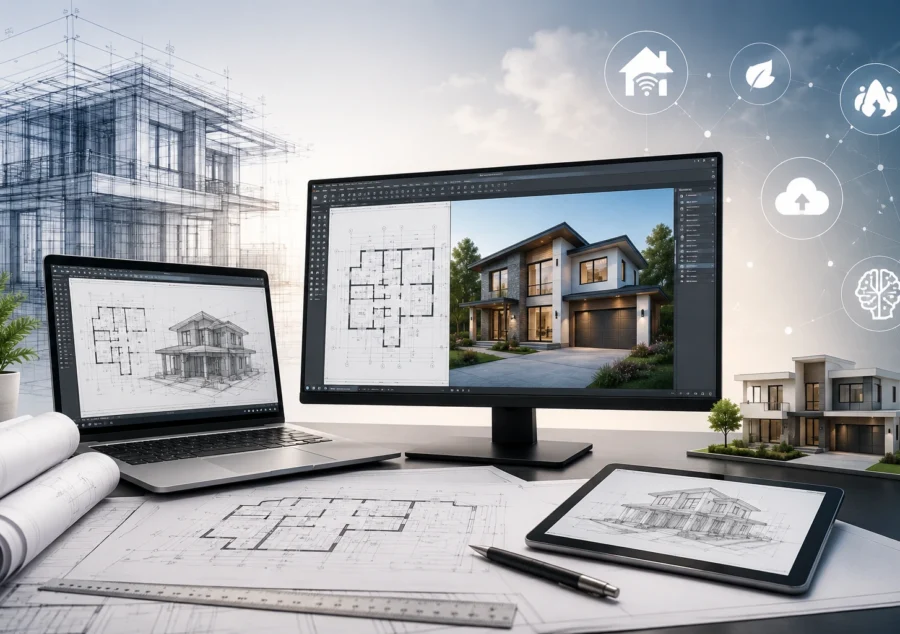
In 2026, residential drafting is becoming more advanced through the integration of 3D visualization, smart home planning, energy-efficient design strategies, cloud-based collaboration, and AI-assisted workflows. These modern technologies are helping drafting professionals create more accurate, customizable, and efficient residential plans while improving communication, reducing errors, and streamlining the overall construction process.
Professional Residential Drafting Services
At ResDraft, we use advanced drafting technology to create accurate residential plans for custom homes, additions, RV garages, ADUs, and remodeling projects. Our drafting and design solutions help homeowners, builders, and contractors move from concept to construction with confidence.